Available now App Store · iPhone

From deposit to delivery
Track every collectible preorder

DuePair is an iPhone preorder tracker for collectors, with reminders for deposits, balance payments and delivery follow-ups. Keep orders from different shops together, using dates you confirm.

DuePair App Store screenshot showing deposit, balance and delivery in four stages
DuePair App Store screenshot showing multiple reminders for preorder opening and balance payment
DuePair App Store screenshot summarizing next month’s balances and expected deliveries
DuePair App Store screenshot showing on-device extraction from an order screenshot
DuePair App Store screenshot showing Live Activities on the Lock Screen, Dynamic Island and widgets

You confirm the date. DuePair reminds you.No store connection; update the record when dates change. Local first Private iCloud sync One-time purchase

Four-stage model

Four stages for every preorder

Four clear stages show where each preorder is now and what comes next.

  1. 01Deposit dueOpening, cutoff and first payment
  2. 02Balance dueBalance opening, cutoff or notice
  3. 03Awaiting deliveryExpected shipping or delivery
  4. 04ReceivedArchive after receipt; the record stays available

Screenshot to card

Recognize on device, confirm, then create

Choose an order, product-page or chat screenshot. DuePair extracts item, date and amount candidates on device; you confirm before creating the card.

  1. Choose screenshotPick an order screenshot from Photos.
  2. On-device recognitionExtract item, date and amount candidates.
  3. Review detailsConfirm the stage and recognized details.
  4. Create cardSave to keep tracking and receive reminders.
DuePair finds a recent screenshot at launch and asks whether to ignore it or create a card
Review the screenshot before creating a card
DuePair editor showing on-device item-name candidates ready to accept, edit or ignore
Accept, edit or ignore recognized details

SMS and email recognition: see keyword monitoring in action →

Not automatic order import:No store login or automatic write-in. Update changed dates yourself.

Reminder system

Layer reminders around key dates

One free reminder per date, or up to four with Pro. See what is next on Home, widgets and Live Activities.

Multiple reminders for one date

Pro · Up to 4

On-device reminders follow confirmed dates; Pro allows up to four per date.

Four Home views

StageCurrent stage
CountdownTime remaining
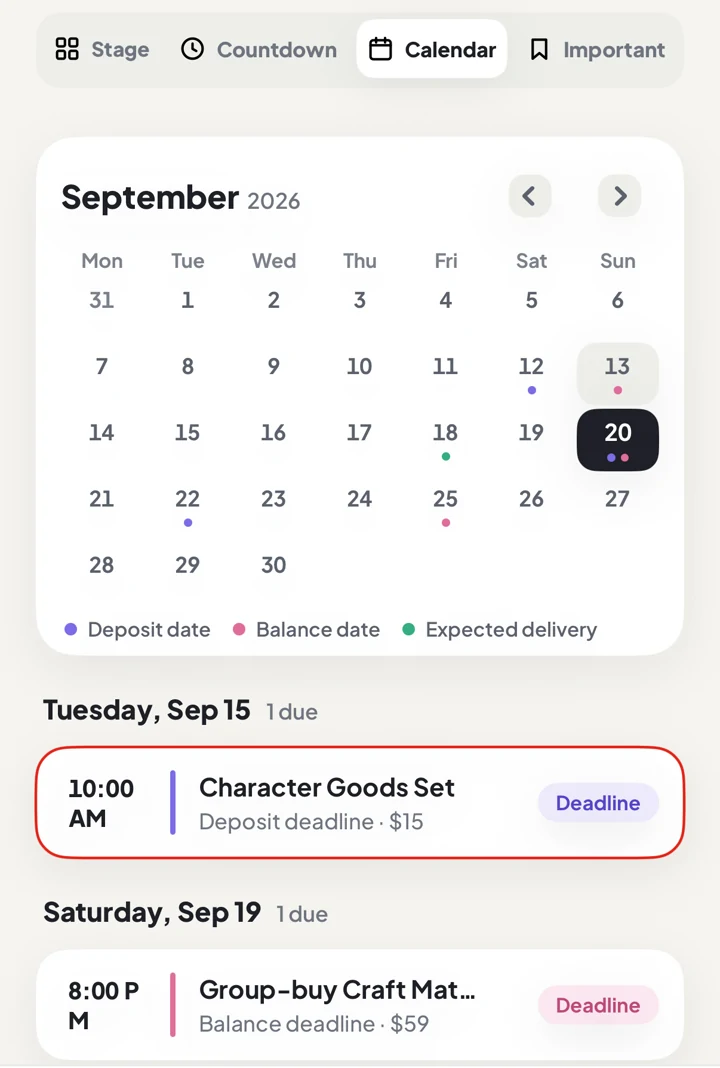
CalendarDates at a glance
PinnedMarked items

Categories and folders

Two flexible ways to organize

Use categories for item types and folders for a set, group order or store.

Two organizing views Separate item type from group context Categories answer “what is it?” Folders answer “which group?”
Localized DuePair app interface
Browse the same item type across orders
DuePair folder view grouping items by set, preorder batch or store
Group a set, group order or store in a folder

Who it is for

Built for collectibles that take months to arrive

Long preorders, staged payments and shifting dates outgrow a to-do list. DuePair keeps each item’s current state and next action in view.

The long wait matters more than the fandom

Ideal for tracking several collectible preorders and remembering deposits, balances and delivery dates.


Original unbranded BJD ball-jointed doll
BJD
Original unbranded scale figure model
Figures & models
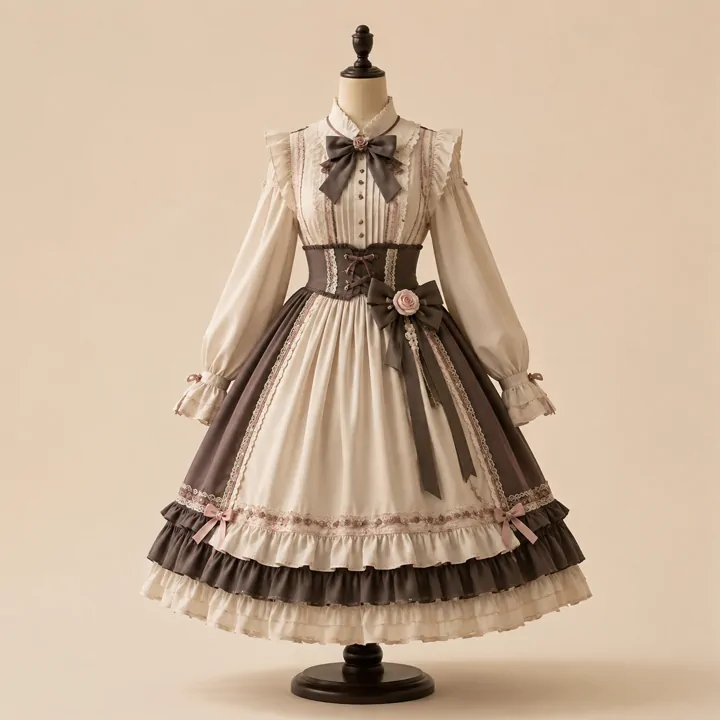
Original unbranded Lolita dress
Lolita fashion
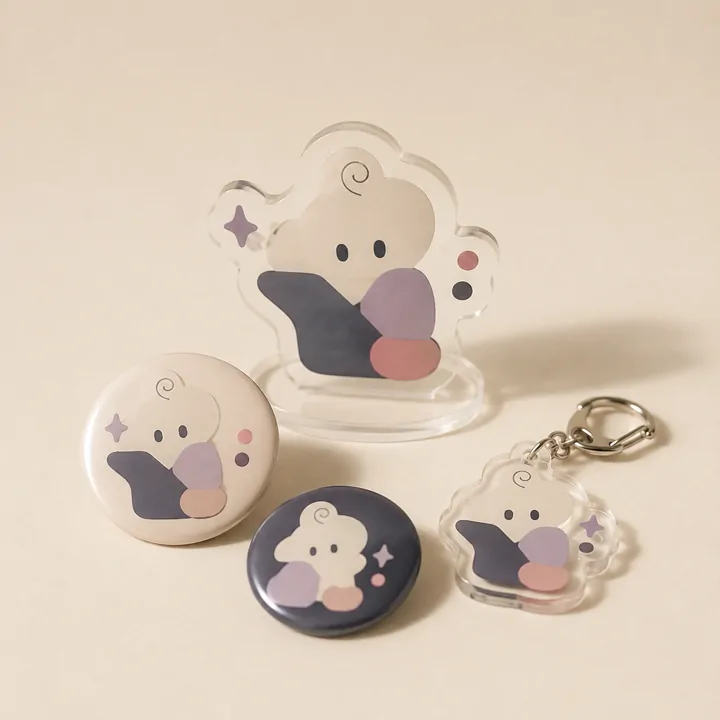
Original unbranded standee, badge and charm goods
Character goods
Original unbranded commissioned artwork
Commissions & custom work
Original unbranded silk-flower corsage
Handmade goods
Original unbranded overseas proxy-order parcel
Proxy & overseas orders

Concept images · AI-generated · Unbranded items

Best for:Items that span weeks or months, use staged payments, or overlap with other orders.
Not for:Automatic order import, shipment tracking, teamwork or accounting.

Three approaches

How well does each approach solve the real problem?

Saving a preorder is only the start. No tool, a spreadsheet and DuePair support the next action very differently.

Each row compares no tool, a general spreadsheet and DuePair

Real problemNo toolGeneral spreadsheetHow DuePair handles it
A popular preorder sells out in seconds0 / 5You must keep watching1 / 5Stores the time; weak prompting5 / 5Combines reminders around opening time so you can prepare.
The balance is forgotten months later0 / 5Relies entirely on memory2 / 5Records it, but you must remember to look5 / 5Schedules reminders around the balance deadline, including the final cutoff.
Twenty preorders make the next step unclear0.5 / 5Memory and scattered orders3 / 5Can summarize, but structure and status need manual upkeep5 / 5Groups every item into deposit due, balance due, awaiting delivery or received.
A saved screenshot never becomes a tracked order0 / 5The screenshot gets buried1 / 5You must remember to enter it first4 / 5Surfaces likely order screenshots when the app opens and asks before creating a card.
Order details are scattered and costly to copy0 / 5Information stays scattered2 / 5You build the template, fields and copies4 / 5On-device OCR extracts candidates for you to confirm into the right fields.
The seller keeps changing the schedule0 / 5You must remember the new date2 / 5You can edit it, but nothing follows up3 / 5Updated dates can drive new reminders, but seller updates are not synced automatically.
The seller has no standard process or proactive notice0 / 50 / 51 / 5Helps the buyer record and remember, but cannot fix the seller’s process.
Whether an expired deposit will be refunded0 / 50 / 50 / 5Cannot decide refunds; that depends on transaction rules and negotiation.
Overall support scoreNo tool 0.1 / 5General spreadsheet 1.8 / 5DuePair 4.3 / 5

The total covers only the first six buyer-controlled problems. The last two belong to seller process and transaction rules; DuePair states that boundary instead of calling risk reduction a complete solution.

FAQ

Common questions about DuePair

View all questions →

Do I need an account? Where is my data stored?
No signup or login. Data stays on your device and can sync through your private iCloud when system iCloud is enabled.
Is it a subscription? What does it cost?
No. The free version tracks up to six unarchived items; held items still count, and only archiving frees a slot. Pro is a one-time purchase that removes the limit and unlocks advanced features.
Does DuePair sync store orders or seller updates automatically?
No. DuePair does not connect to marketplaces, store systems or seller accounts. You enter or confirm dates from the seller’s published payment and shipping plan; DuePair schedules reminders on device. Update the record when the seller changes dates.
How do Live Activities start, and what appears on the Lock Screen?
Live Activities are a Pro feature. Start or refresh them from Home; with proximity prompts enabled, the system can invite you near a key time. One session lasts up to eight hours, the Lock Screen shows up to three items, and Dynamic Island shows the next one.
Can I group one preorder batch or store together?
Yes. Create folders for a set, preorder batch or store, then organize them with search, filters and batch move.
Can I share preorder details from a webpage or chat to Drafts?
Yes. Shared links, text or images become lightweight drafts. Complete them later in the main app; cards are never created automatically in the background.
Does screenshot recognition upload my images?
No. With “Check screenshots at launch” enabled, DuePair checks only up to eight screenshots from the last 72 hours and asks first when it finds a match. Text recognition happens on device.
Which items appear in periodic briefs?

On the 1st or 15th, the brief summarizes payments and expected arrivals in the next month. Held and ended items are excluded.

Track your next preorder

Track up to six unarchived items free. Pro is a one-time purchase.